

Waste reports that build themselves
Turn the records your team already makes into clear totals and charts. Free to use.
Free to useUnlimited usersDigital waste tracking, transfer notes and consignment notes
See what arrived, at a glance
- Headline totals for waste received, movements and sites.
- Daily totals as a bar or line chart.
- Waste by type, as a share of the period.
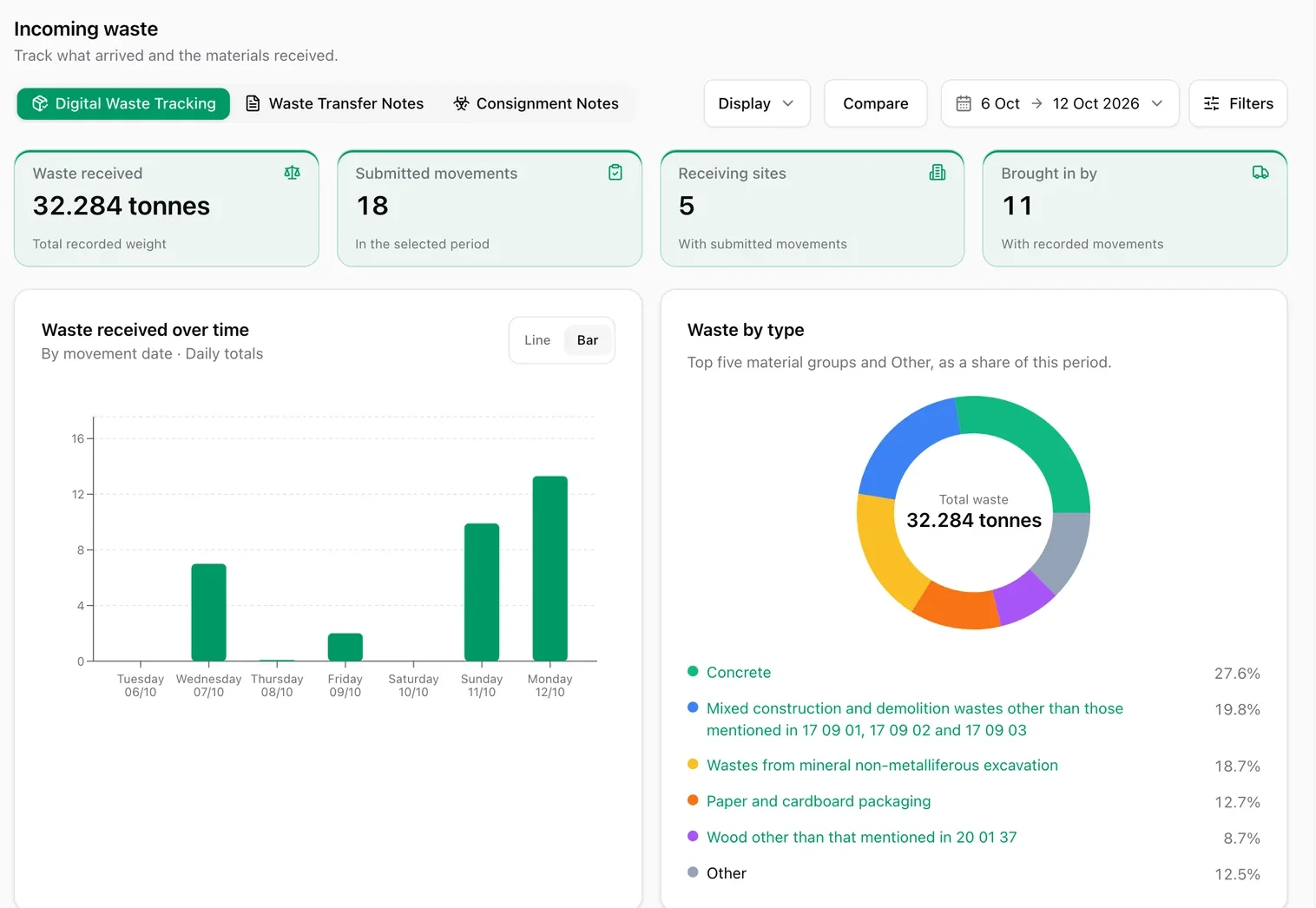
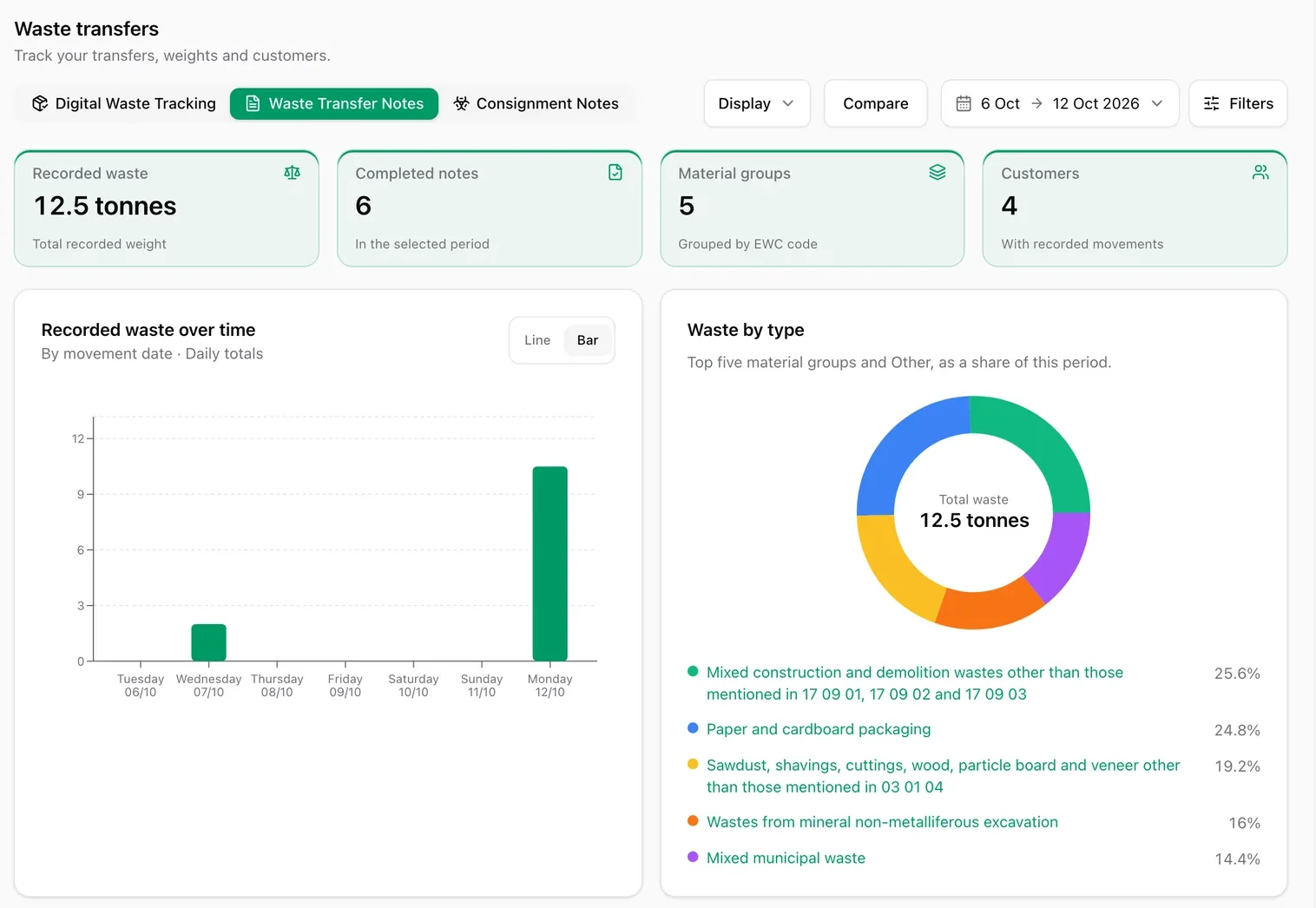
Switch tab. Same dates.
- Tabs for digital waste tracking, waste transfer notes and consignment notes.
- Choose your dates, filter, and compare periods.
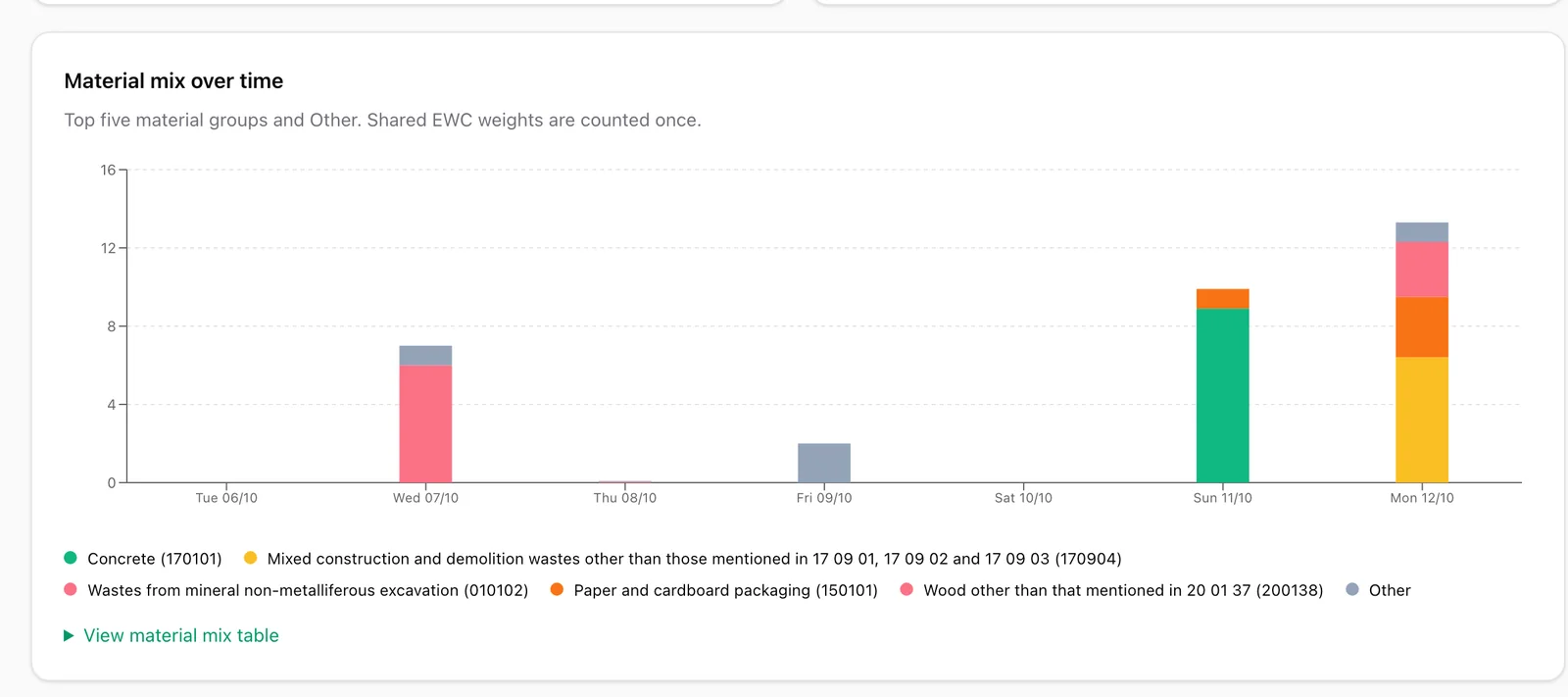
See how your materials change
- Material mix over time, week by week.
- Spot customers or sources sending you more, or less.
Your questions, answered.
Are waste reports free?
Yes. Reports for digital waste tracking, waste transfer notes and consignment notes are included in the free plan, with unlimited users.
Do I need to set anything up?
No. Reports are built from the records you create in IntelliWaste, so they are ready as soon as you record your first note or movement.
More from IntelliWaste
See your waste clearly
Create your free account and your first report is ready as soon as you record your first note.