

Digital waste tracking, without the double entry
Submit your digital waste tracking records to Defra in under a minute, straight from IntelliWaste. Every submitted record keeps its Government Waste Tracking ID. Free to use.
One app for all four UK nations
Create digital waste tracking submissions for England, Wales, Northern Ireland and Scotland, all from the same IntelliWaste account.
 England
 Wales
Wales Northern Ireland
 Scotland
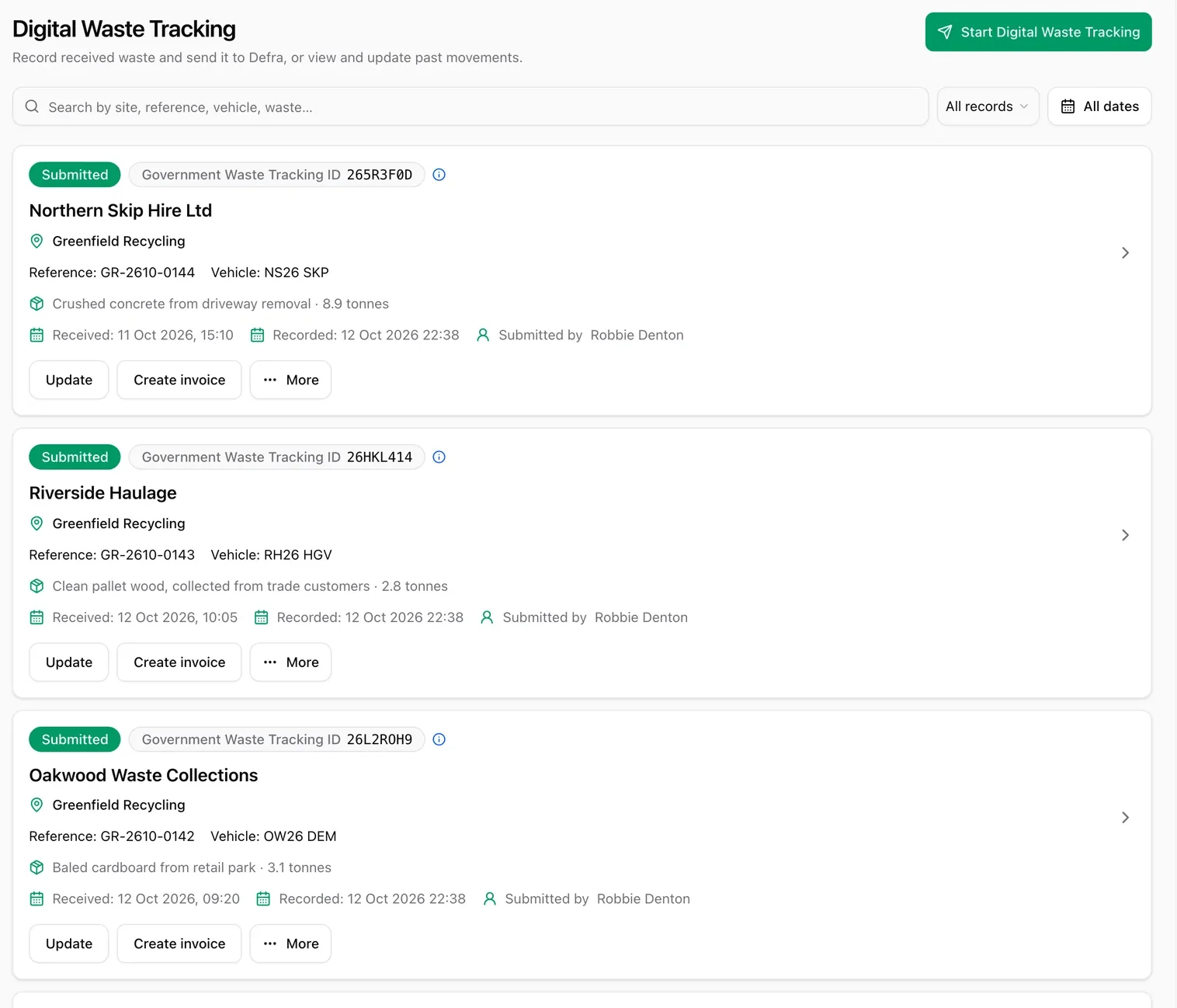
Every record, with its status
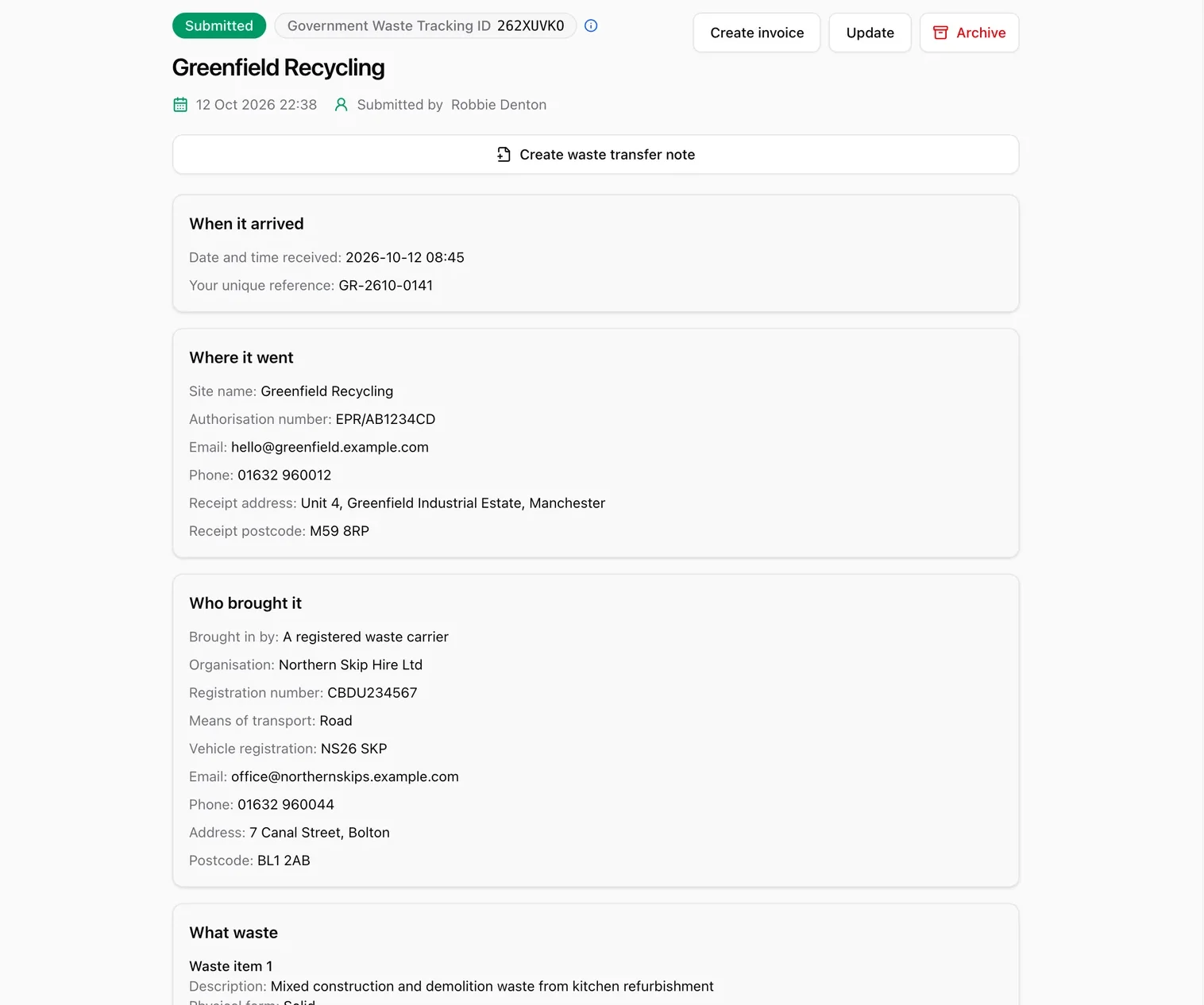
Every submitted record shows its Government Waste Tracking ID, so you can see at a glance what has gone to Defra.
- Record and submit in under a minute. Pick the contact, add the waste and send it.
- Search by site, reference, vehicle or waste.
- Update a record, or raise an invoice from it.
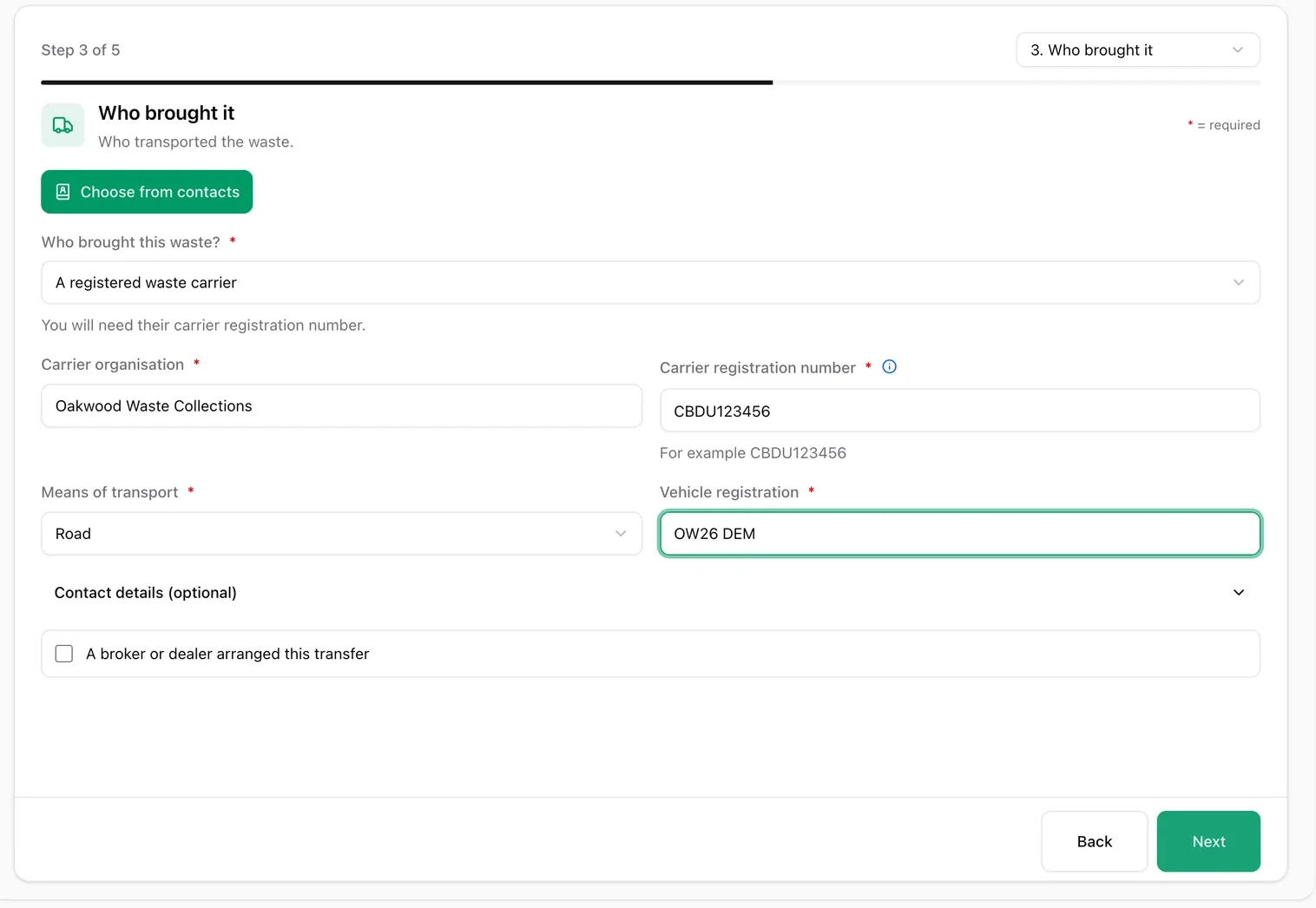
Fill it in once
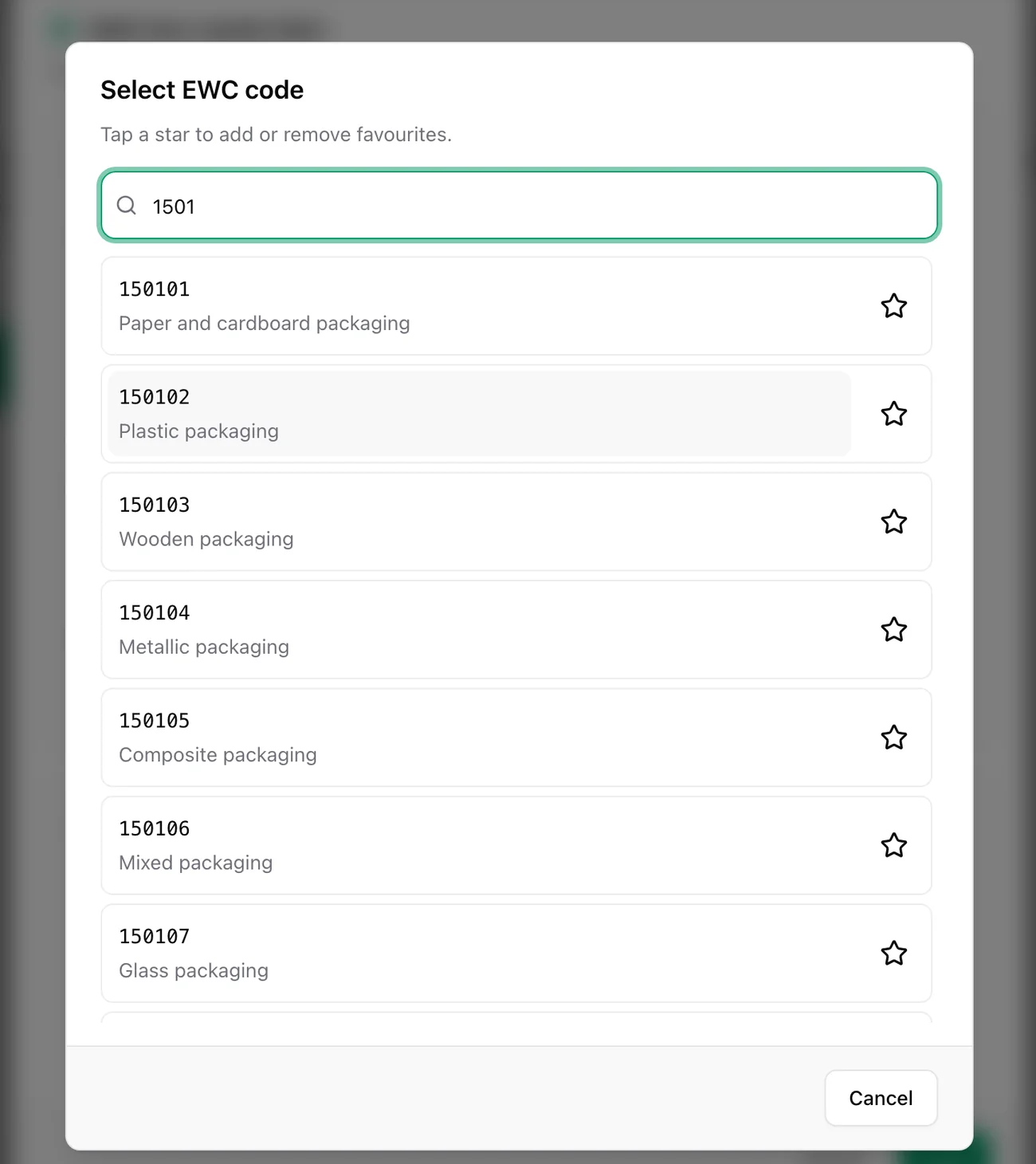
Pick the carrier from your contacts and search EWC codes by name or number.
- Not finished? Save it as In progress and come back later.
- No signal on site? Offline records upload when you are back online.
Open any record for the full picture
- Where it went, who brought it and what waste it was.
- Create a waste transfer note from the record.
- Archive it when you no longer need it.
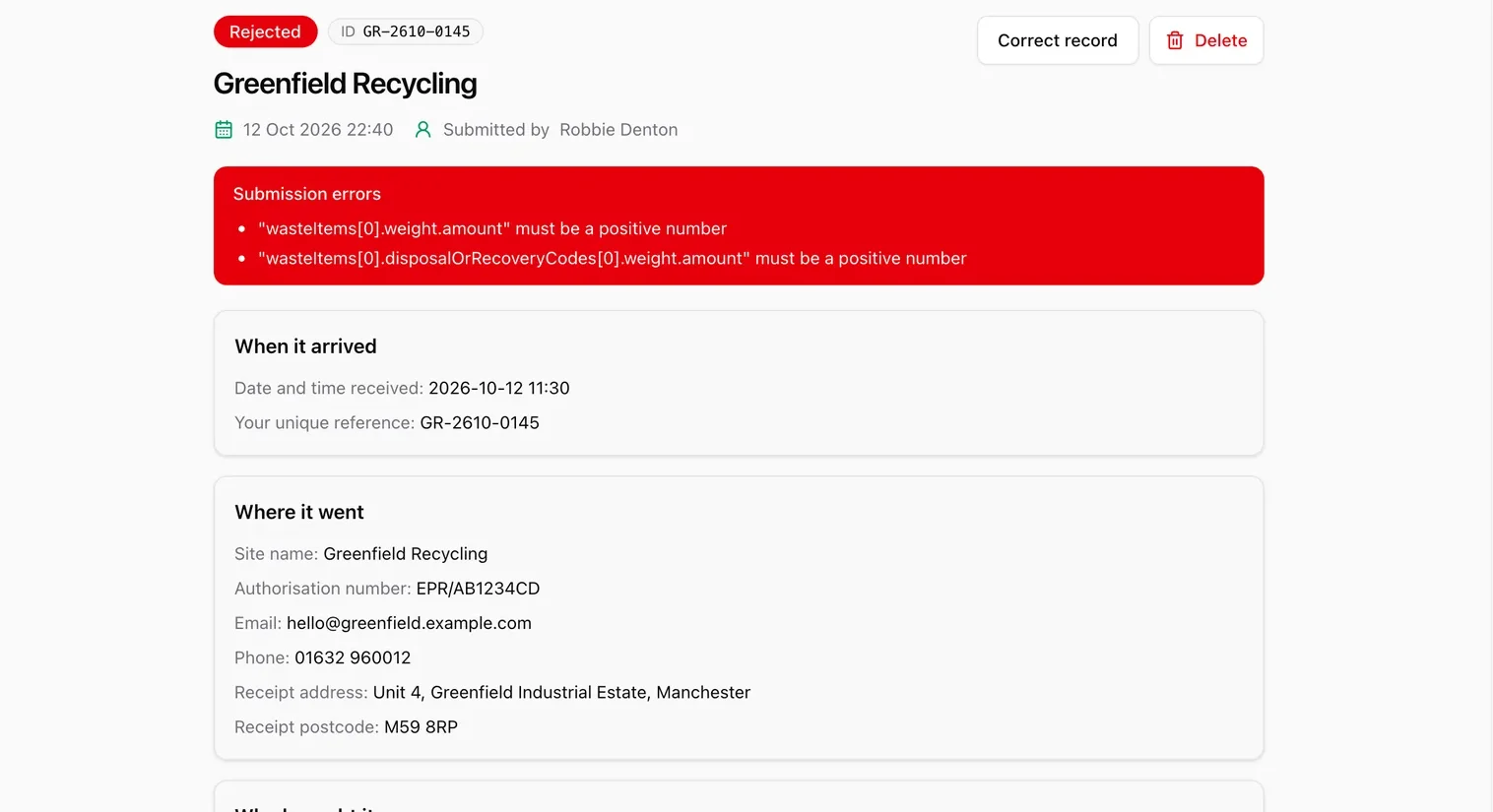
Rejected? Fix it and resend
IntelliWaste lists exactly what Defra could not accept. Choose Correct record, fix it and submit again.
- Warnings are shown with the record so you can review them.
Up and running in three steps
Connect to Defra
Add your Defra API code once, in Company Settings.
Record the waste
Pick the contact, add the waste and check it.
Submit
Send it to Defra and keep the tracking ID.
Your questions, answered.
Is digital waste tracking free in IntelliWaste?
Yes. It is included in the free plan, with unlimited users.
Does IntelliWaste send my records to Defra?
Yes. When you submit a record, IntelliWaste sends it to Defra’s Digital Waste Tracking service and saves the result on the record.
What do I need to get started?
An IntelliWaste account and your Defra Digital Waste Tracking API code, which you add once in Company Settings.
Do I need to report to Defra?
Defra’s service covers sites that receive waste. Check Defra’s guidance to see what applies to your site.
More from IntelliWaste
Start tracking your waste today
Create your free account and submit your first record in minutes.