

Waste transfer notes you can sign, send and keep
Create a note, sign it on screen, then print, download, share or email it to your customer. Covers England, Wales, Northern Ireland and Scotland. Free to use.
One app for all four UK nations
Choose the nation when you create a note and IntelliWaste uses the matching format.
 England
 Wales
Wales Northern Ireland
 Scotland
Signed on screen. Locked on record.
- Both parties sign on the screen. No waiting for paper to come back.
- Each signature records who signed, when and for which business.
- A signed note stays as signed. Changes create a new note.
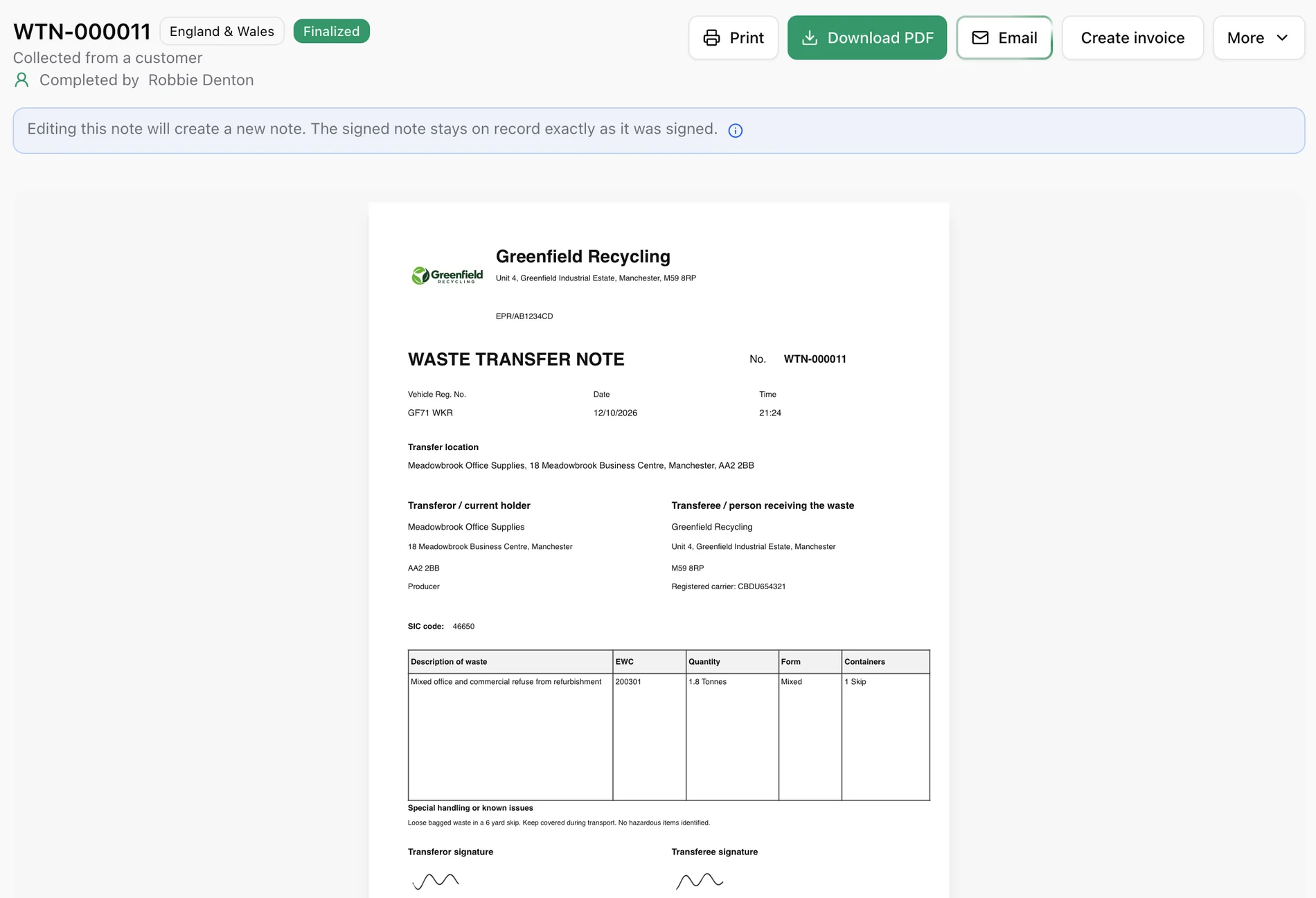
Every note, in one place
- Start a note in a few taps and pick your customer from your contacts.
- Already have a paper note? Upload it to keep it with the rest.
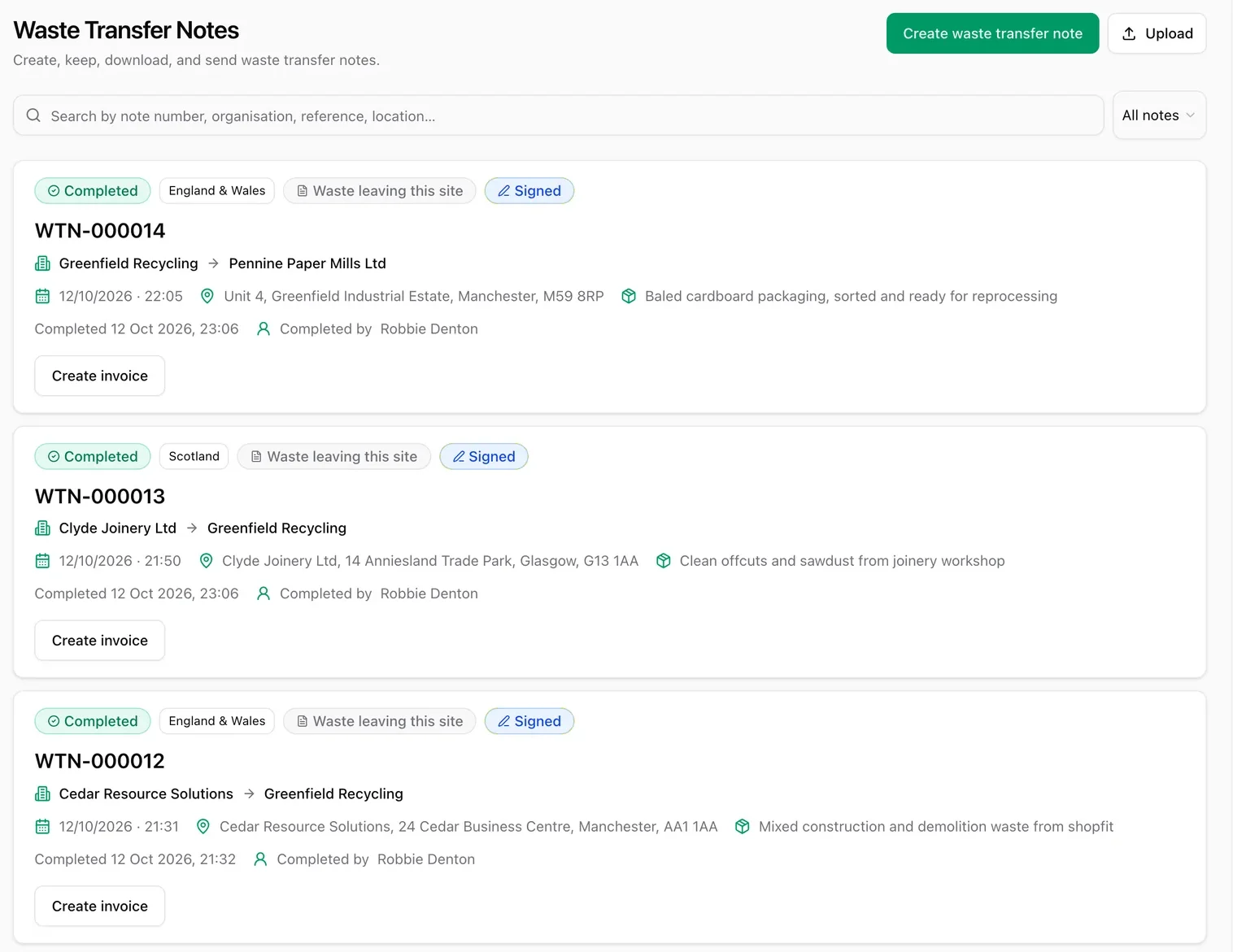
Finished? Four ways to get it where it needs to go
Sharing works on phones and tablets that support it. Email works from any device.
Send it straight to your customer
Email the finished note from inside IntelliWaste. No saving PDFs or attaching files by hand.
Open the note
The Email button appears once it is finished.
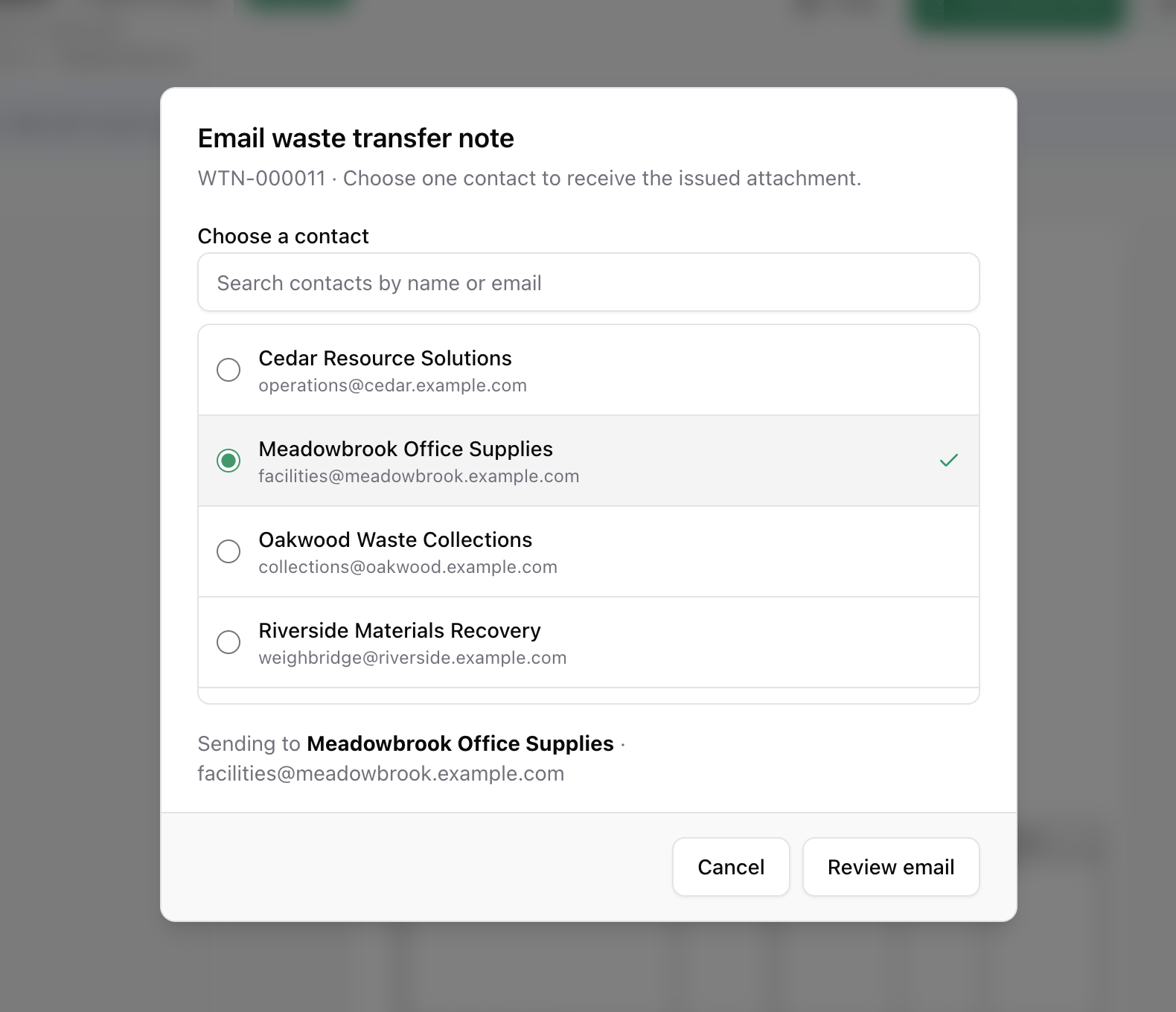
Choose a contact
Their email address is already saved.
Review it
See who it is from, who it is for and what it says.
Send
The note is attached and on its way.
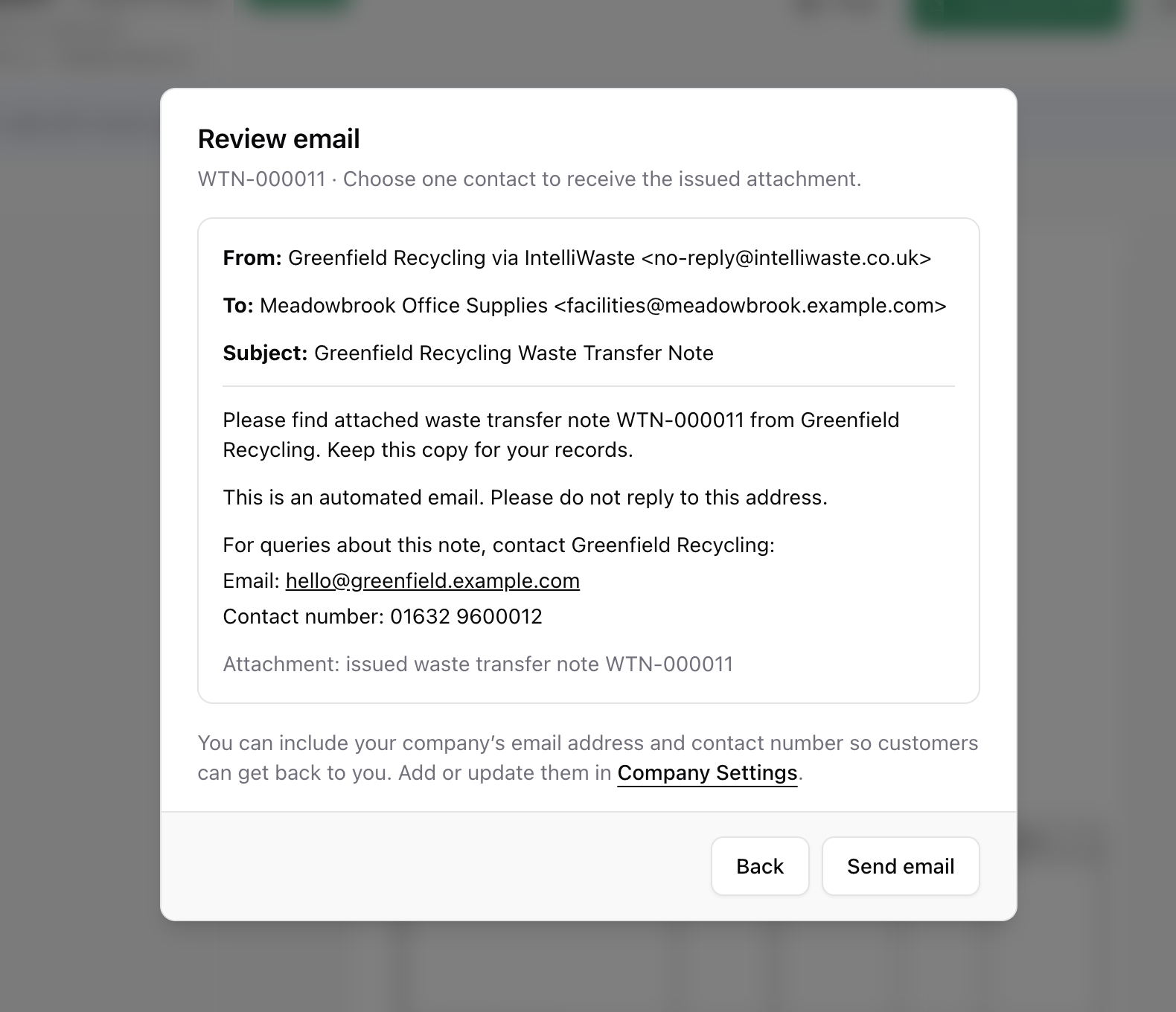
What your customer receives
A clear email in your company name, with the note attached and your contact details.
- No IntelliWaste account needed to receive it.
- Add your email and phone in Company Settings so customers can reach you.
From: Greenfield Recycling via IntelliWaste
To: Meadowbrook Office Supplies
Subject: Greenfield Recycling Waste Transfer Note
Please find attached waste transfer note WTN-000011 from Greenfield Recycling. Keep this copy for your records.
For queries about this note, contact Greenfield Recycling:
Email: hello@greenfield.example.com
Contact number: 01632 9600012
📎 Waste transfer note WTN-000011 (PDF)
Know it arrived
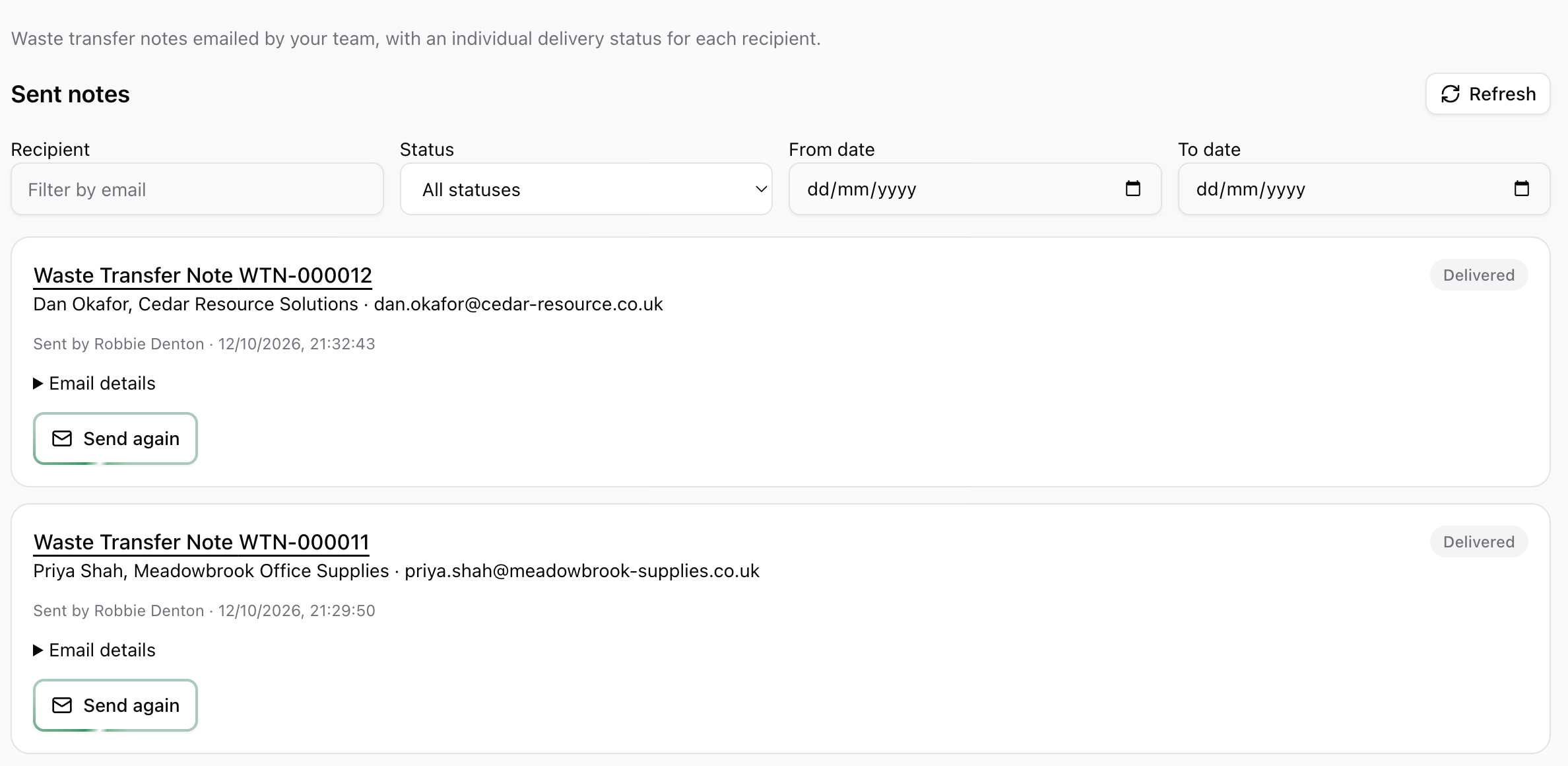
Sent notes shows a delivery status for every email, and you can send it again with one tap.
- Filter by recipient, status or date.
- Delivered means the recipient’s mail server accepted it. It does not confirm it was read.
Your questions, answered.
Which nations do you cover?
England, Wales, Northern Ireland and Scotland. Choose the nation when you create a note.
Is it free to create and email waste transfer notes?
Yes. Waste transfer notes are included in the free plan, with unlimited users.
Does my customer need an IntelliWaste account?
No. They receive a normal email with the note attached.
Can I email a note to more than one person?
Each email goes to one contact. Choose Send again to send it to someone else.
Can I still print or download the note?
Yes. Every finished note can be printed or downloaded as a PDF, and shared from devices that support sharing.
More from IntelliWaste
Send your first waste transfer note today
Create your free account, make a note, and email it to your customer in minutes.